 YaYMiX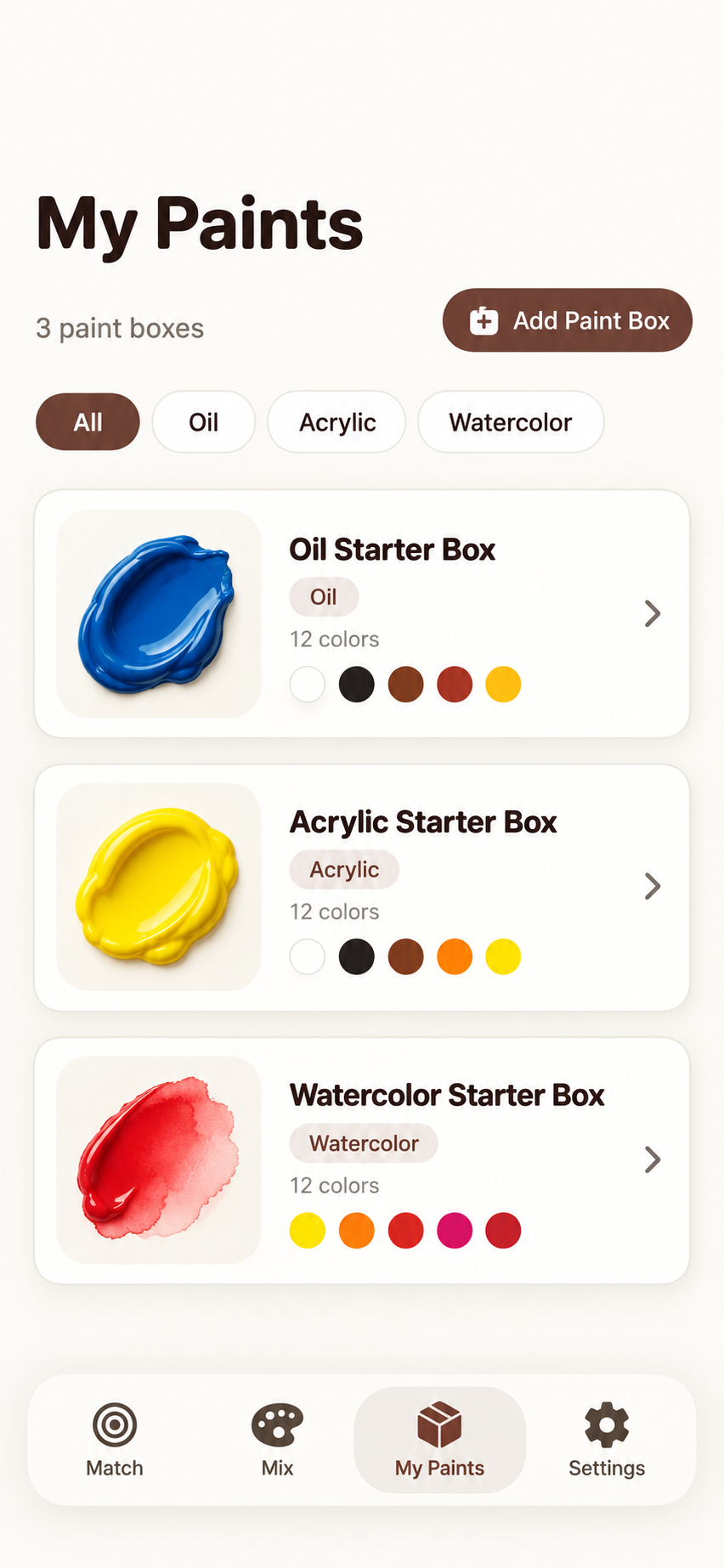
Start with a reference.
Pick a color from a photo or sample with the camera. See suggested combinations from the paints in your active box.
A clearer way to mix
Turn a reference color into a place to start. Explore estimated paint recipes, compare your mix with a camera sample, and keep every useful color close at hand.
Made for oil, acrylic, gouache and watercolor · No account required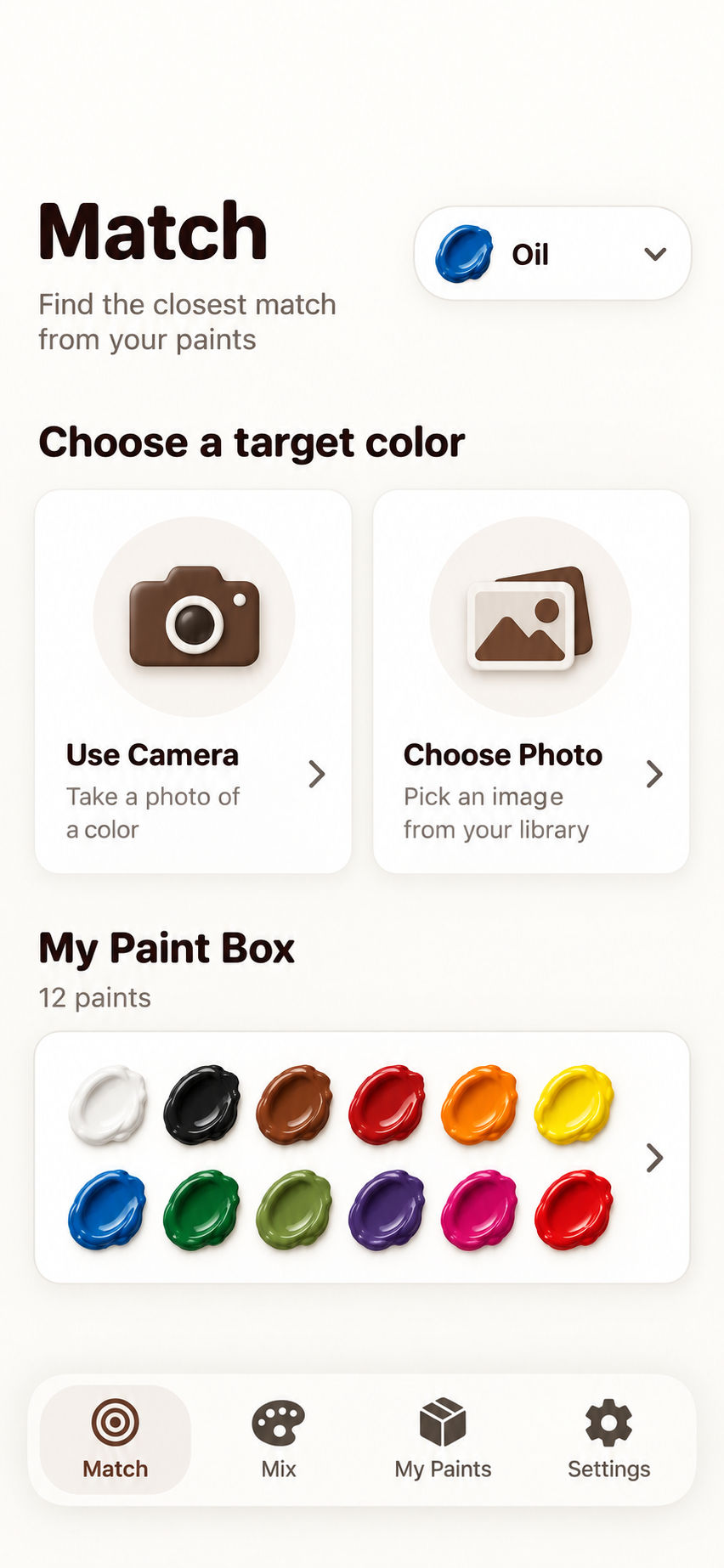
Made for the way you paint
YaYMiX gives you a practical starting point without pretending a phone camera is a laboratory instrument.
Pick a color from a photo or sample with the camera. See suggested combinations from the paints in your active box.
Work with oil, acrylic, gouache or watercolor profiles and adjust a recipe before taking it to the real palette.
Sample your mix, compare it with the target, and consider a small next addition. Lighting and device processing can affect the reading.
Organize paint boxes by medium. Pro adds custom pigments, brand-catalog import and camera palette scanning with review before saving.
For the paint box in front of you
With Pro, photograph a physical palette, adjust the selection, review the detected pans, and save only after the result looks right. Different boxes need different checks—there is no fixed color count.
See scanning tips ↗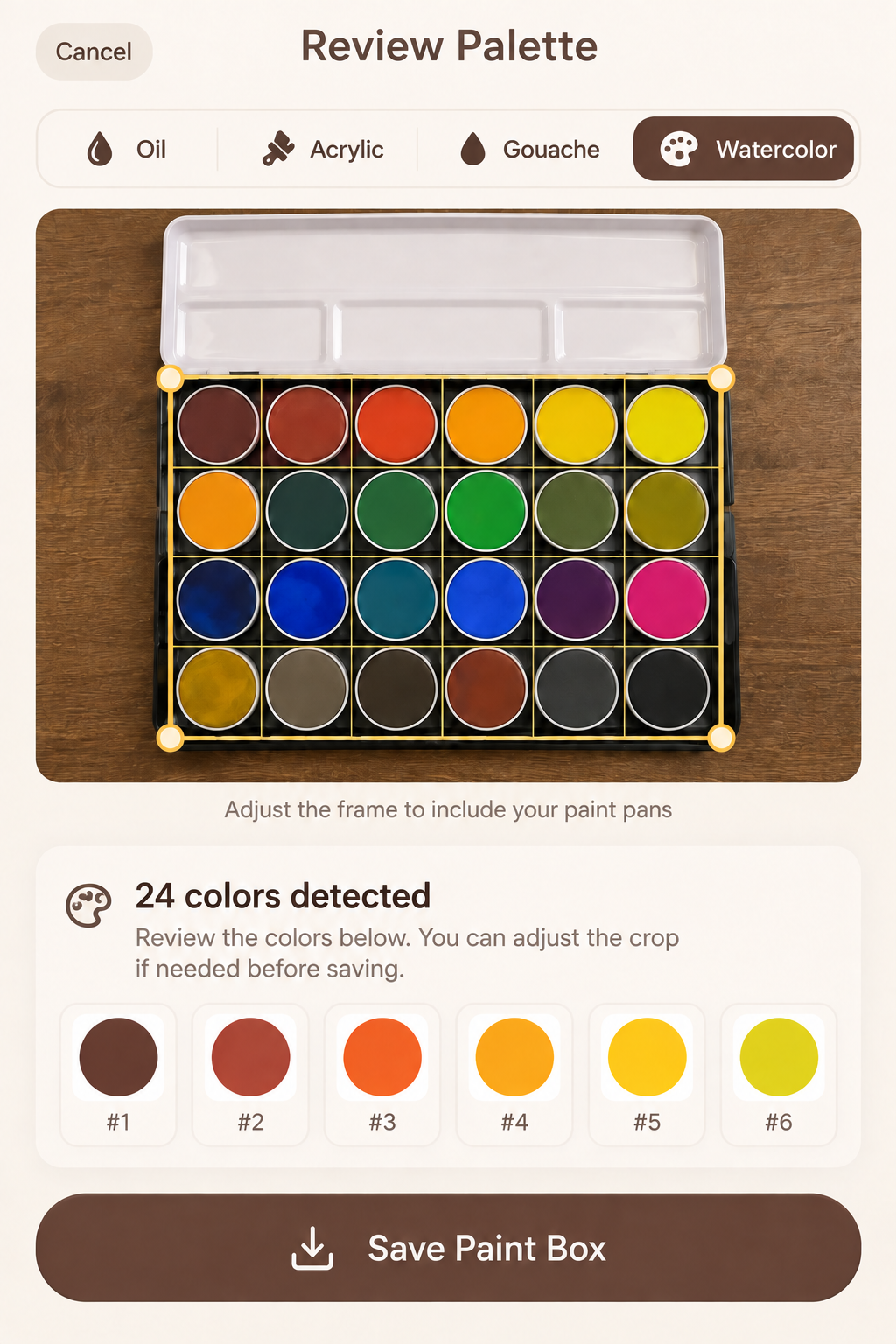
Three simple steps
Use a photo or camera sample, then select your paint medium and active box.
Explore suggested pigment combinations and proportions on a small test swatch.
Check the real mix in your lighting, adjust as needed, and save a useful recipe for later.
Private by design
The reviewed build has no YaYMiX account, ads, or developer-operated cloud library. Camera frames, selected photos, and saved color work are handled on your device. App Store purchases are processed by Apple.
Optional, one-time upgrade
YaYMiX Pro unlocks custom paint boxes and pigments, palette scanning, and brand-catalog import. No subscription; the local App Store price is shown before purchase in the app.
Questions before you start?
Find setup tips, privacy details and a direct contact route.